
You can record heat stress symptoms using Kite’s Heat Stress Symptoms dashboard in the mobile app. You can use this for reporting and analysis to improve heat stress management.
Symptoms can also be recorded and viewed in the web version of Kite on the Thermal Risk dashboard. Just select the Heat Stress Symptoms tab.
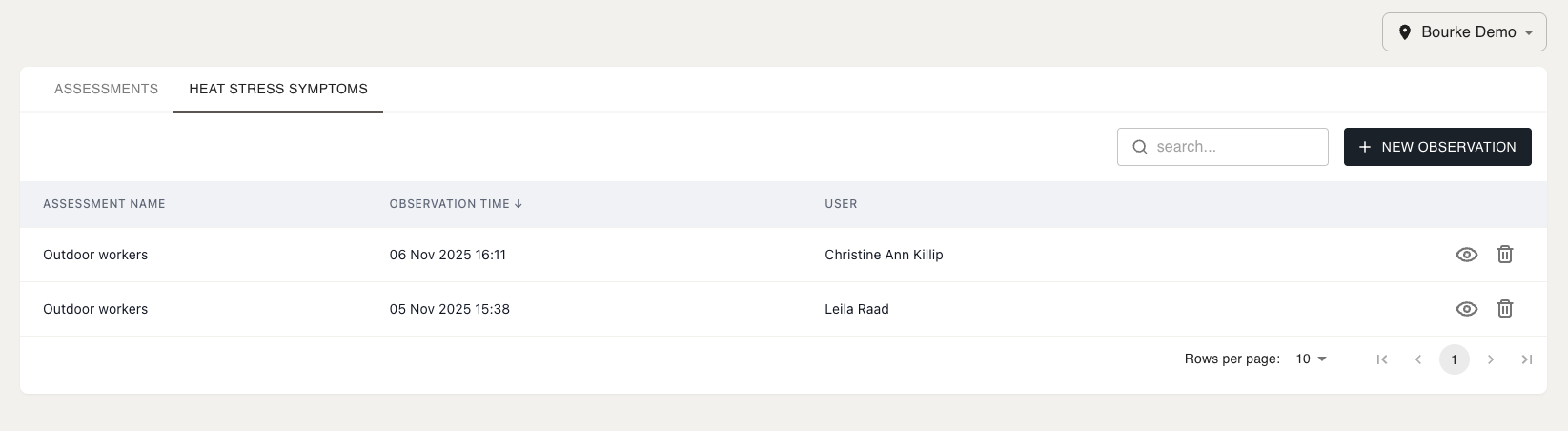
Using the Dashboard in the Mobile App
In the Kite mobile app, start by selecting the Heat Stress Symptoms dashboard. You should then see the following screen, listing the past heat stress symptom observations for the selected site:
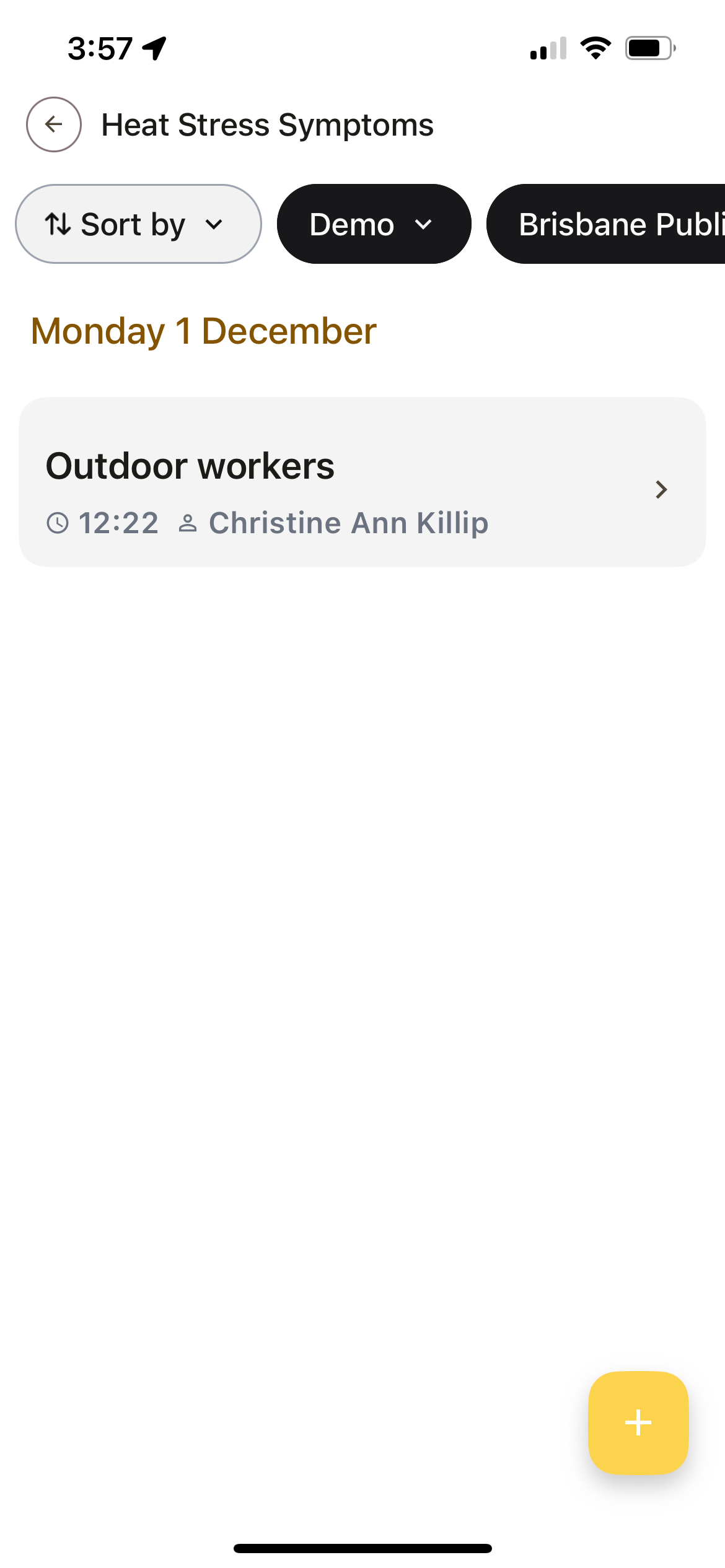
Here, you can choose to Sort By newest or oldest first, change the selected organisation with the organisation dropdown, and change the selected site with the site dropdown.
Creating a New Observation
To create a new observation, select the yellow + symbol in the bottom right-hand corner of the screen. You should be shown the following:
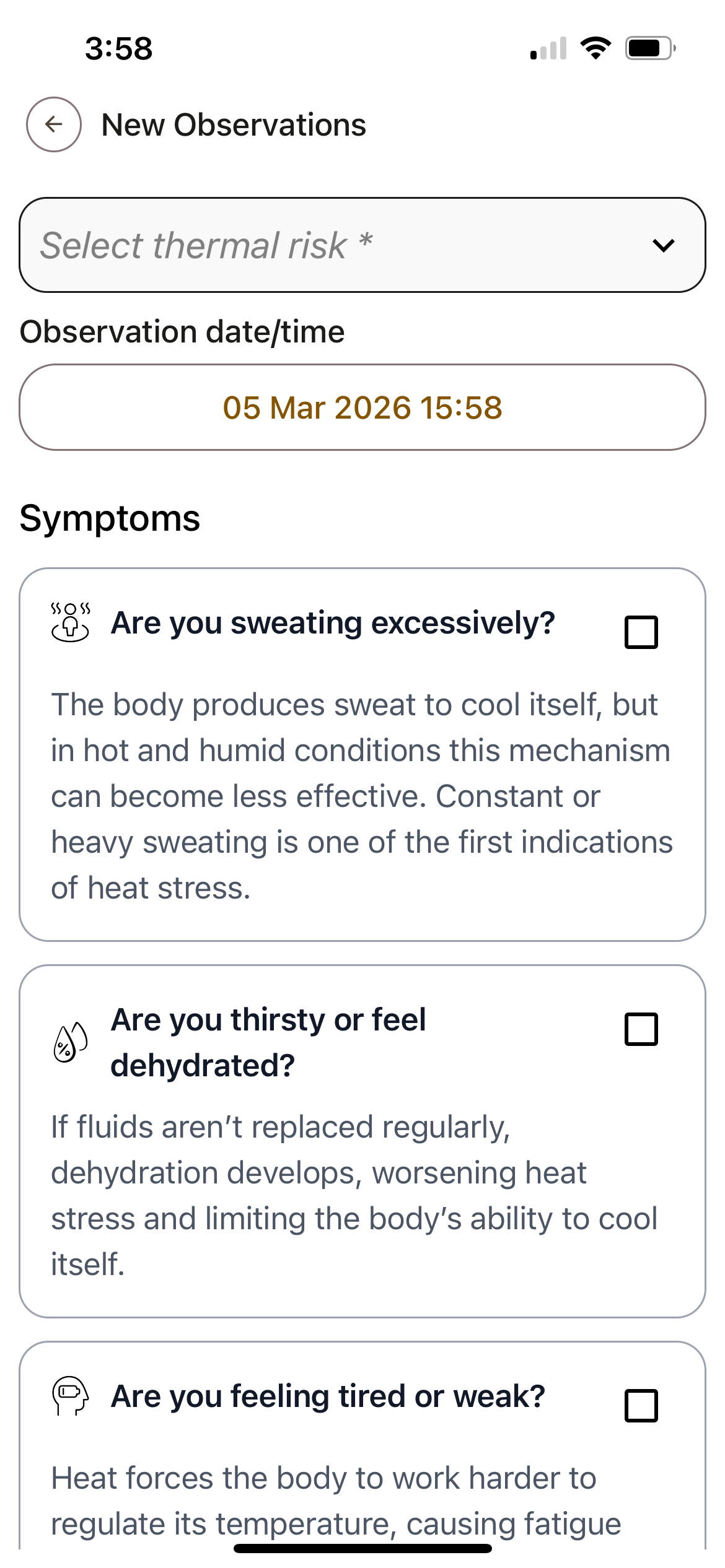
The fields to fill out include:
-
Select thermal risk - Choose the thermal risk assessment that describes the group of workers you wish to record the observation for.
-
Observation date/time - The time the symptoms were observed.
-
Symptoms - Select any that were observed.
-
Comment - Enter additional comments (optional).
When you’re finished select Save at the bottom of the page. You should now see the new observation added.
Viewing Observations
If you select one of the observations, you will see all of its information, for example:
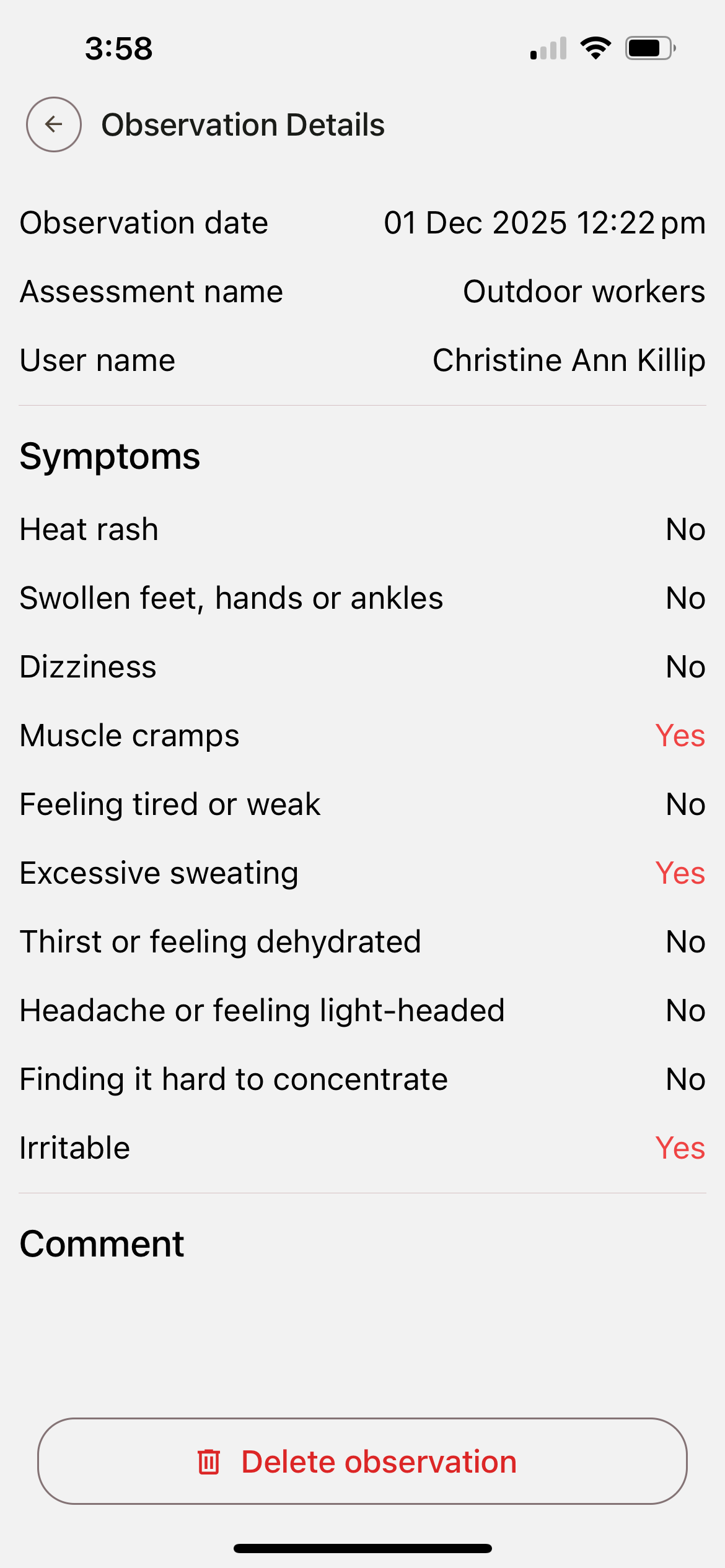
Return to the dashboard by selecting the back arrow in the top left-hand corner of the page.
Deleting Observations
To delete an observation, select it, then press the Delete observation button (shown in the image above).